
Click on Checkout to process the order.
The following information can be filled in:
-
Payment method (Full prepayment, downpayment, Payment afterwards).
-
Amount to pay (by lowering the price you will give a discount)
-
Down Payment amount (depending on Down Payment payment method).
-
Save as quotation in SAP (depending on configuration)
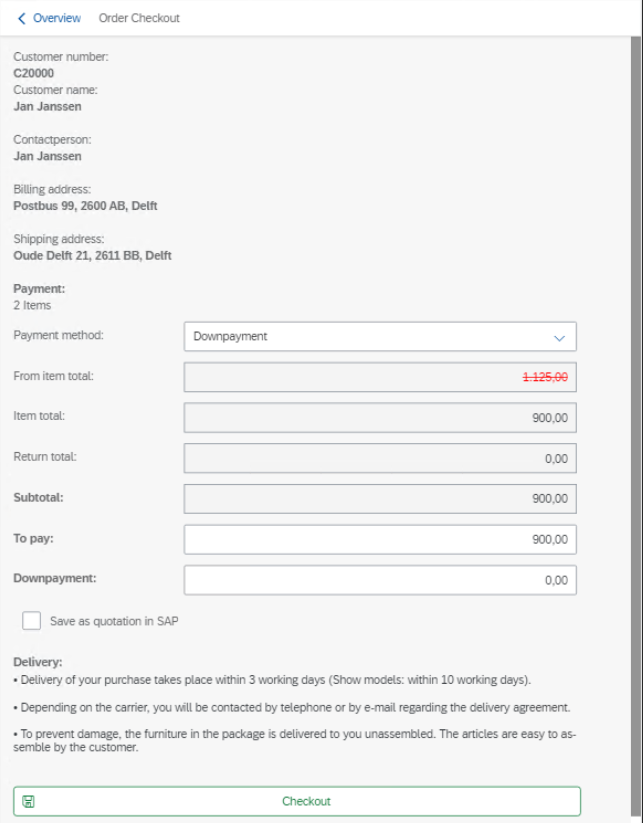
Depending on configuration a supervisor must approve the given discount when exceeding the discount limit.
Click on checkout to save the the order (or quotation) in the Point of Sale Application.
If enabled a confirmation document can be printed.