
When the URL is correct, a logon page should appear:
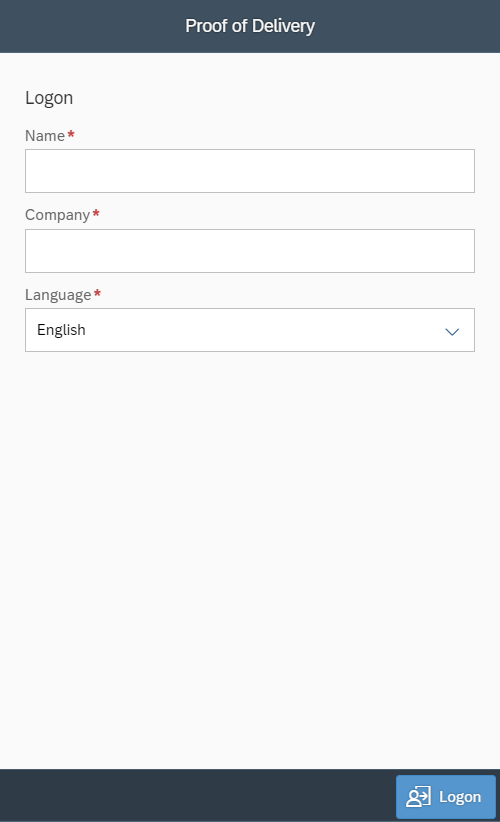
Enter your Name and Company and select your preferred Language.
The information entered will be stored in a local "cookie" on your device. This way your information will be remembered for future use.
If you need to re-enter your Name and Company while in route, make sure to enter it exactly the same as before. Your name will be stored in the route and locking it for other users.
Press the Logon button.
A new page appears asking for Pin ID and (if enabled) the available free text fields.
In the example below only one Free text Field is enabled and renamed (translation) to "Co-Driver".
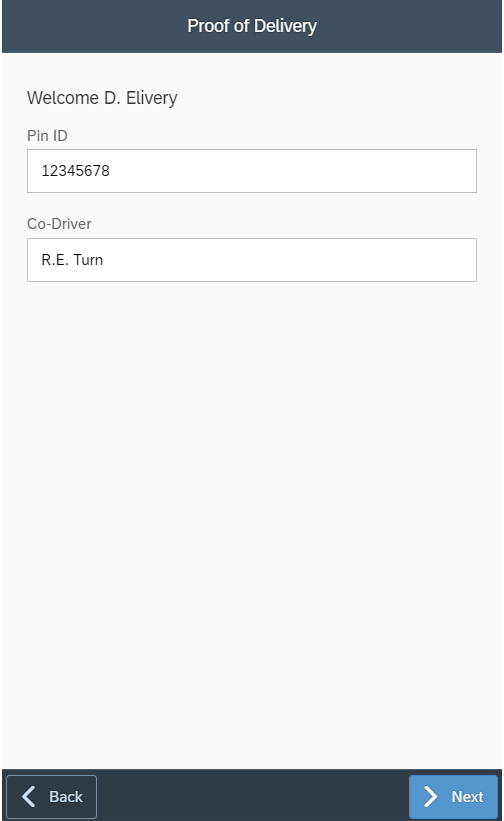
Click the Next button.